Your car's dashboard on the Android Auto screen
Fuel, range, speed and this drive, right next to Google Maps. Every drive is recorded on your phone with its route, fuel use and driving events. Free, no account.
For cars with Android Auto · Android 8+ · not on the Play Store
On the car screen
Works next to Google Maps
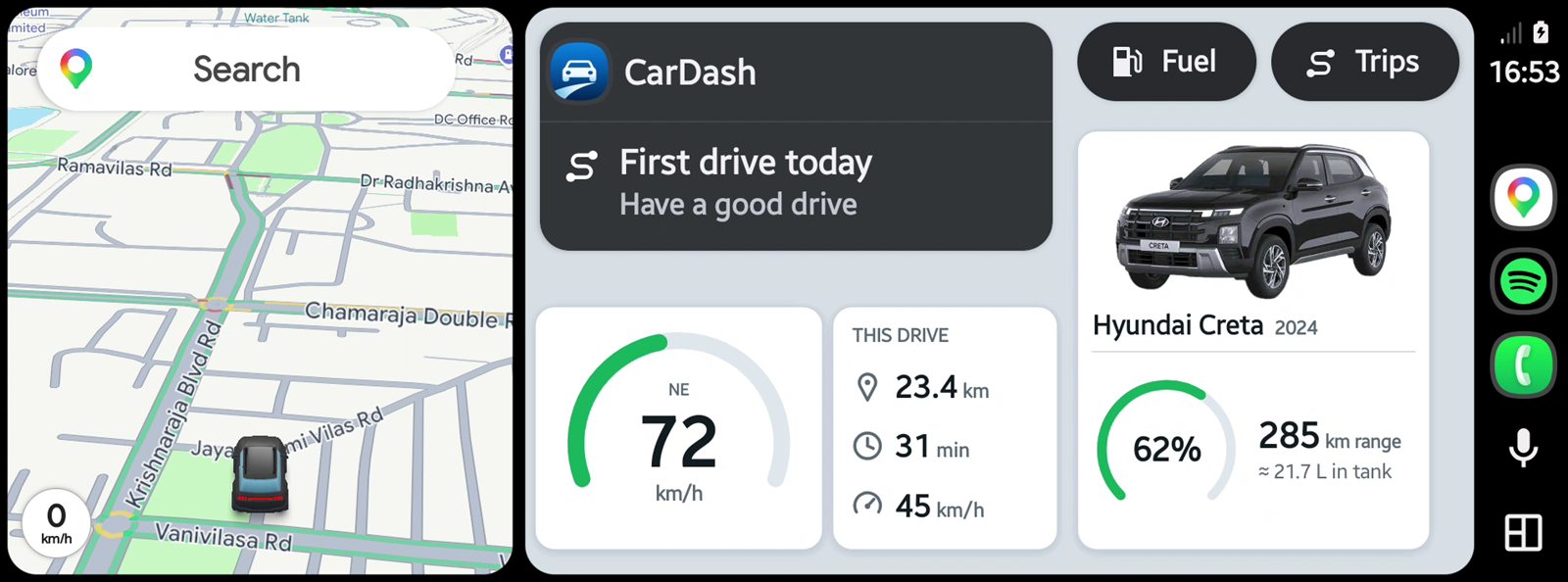
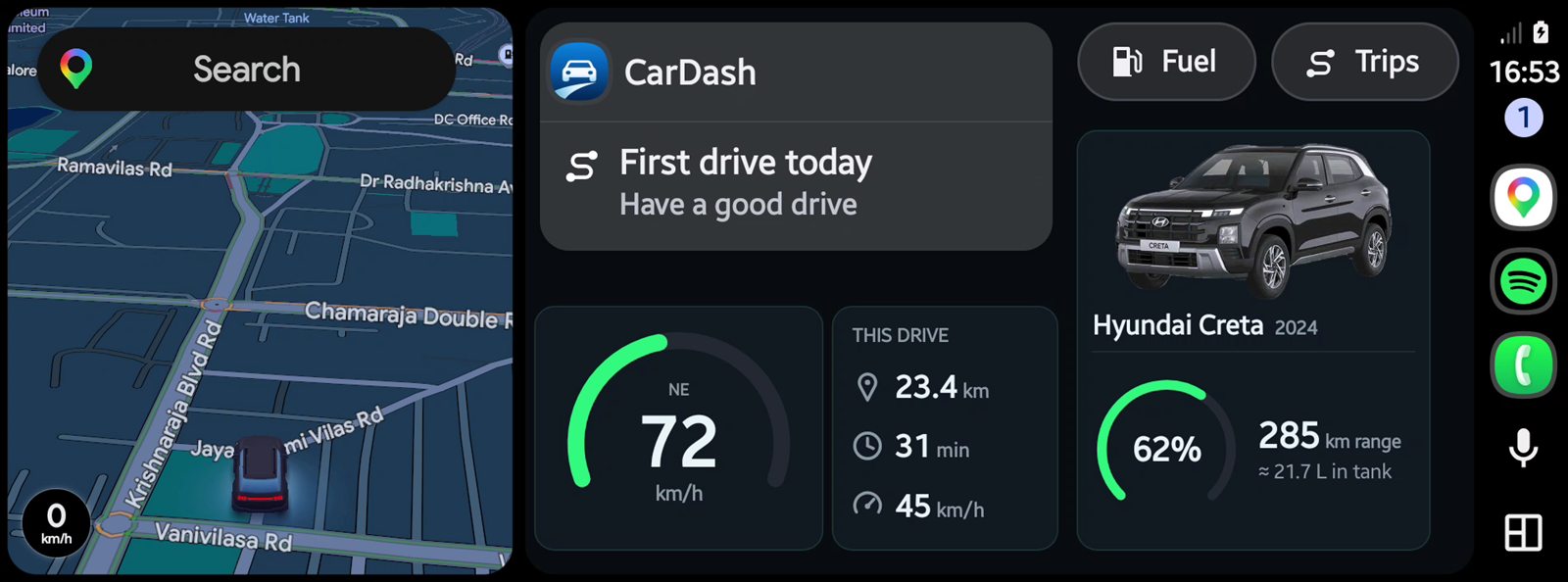
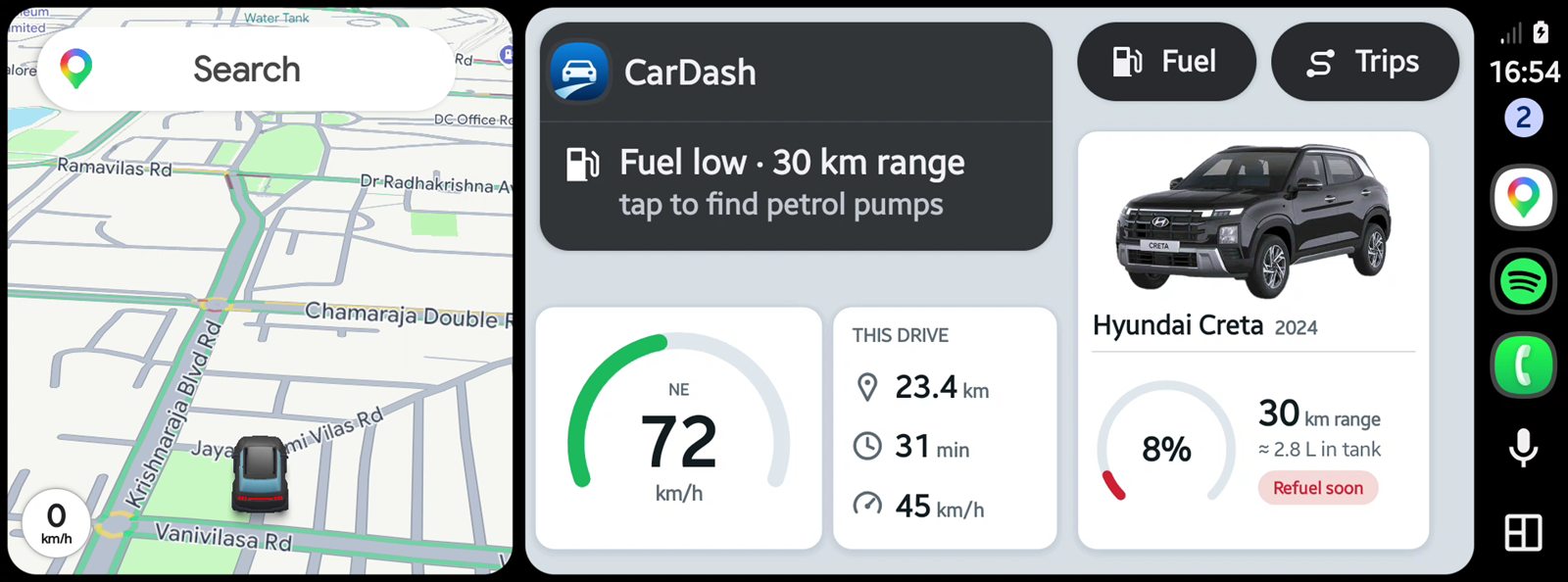
Google Maps keeps navigating in its own window. CarDash fills the rest of the screen with the numbers you'd otherwise look for on the instrument cluster.
- 1Google MapsKeeps navigating in its own card, so you never have to switch apps.
- 2Smart info rowToday's total, a countdown to your next break, or a low-fuel warning: whatever matters right now.
- 3SpeedA large speedometer from the car's speed reading (or the phone's GPS). Orange above 80 km/h, red above 100.
- 4This driveDistance, driving time and average speed since you set off.
- 5Fuel and rangeFuel %, the car's range and litres left, under a picture of your car. "Refuel soon" when it's low.
- 6Fuel and TripsNearby petrol pumps, your trip meter and recent drives, one tap away.
Features
Everything at a glance, and every drive kept
The car screen is for glancing while you drive. The phone app is for looking back afterwards, when you're parked.
On the car screen
Next to Google Maps
Your navigation keeps running in its own window while CarDash shows beside it.
Fuel and range
Fuel %, the car's range in km and litres left. "Refuel soon" when it's low.
Speed
A large speedometer, turning orange above 80 km/h and red above 100. Uses the phone's GPS if the car doesn't share its speed.
This drive
Distance, driving time and average speed for the drive you're on.
Petrol pumps
When fuel is low, one tap opens Google Maps' petrol pump search. The Fuel button lists nearby pumps, marking the ones ahead.
Trip meter
A trip meter you can reset, like Trip A, plus your last few drives and the strongest braking and cornering forces.
Alerts
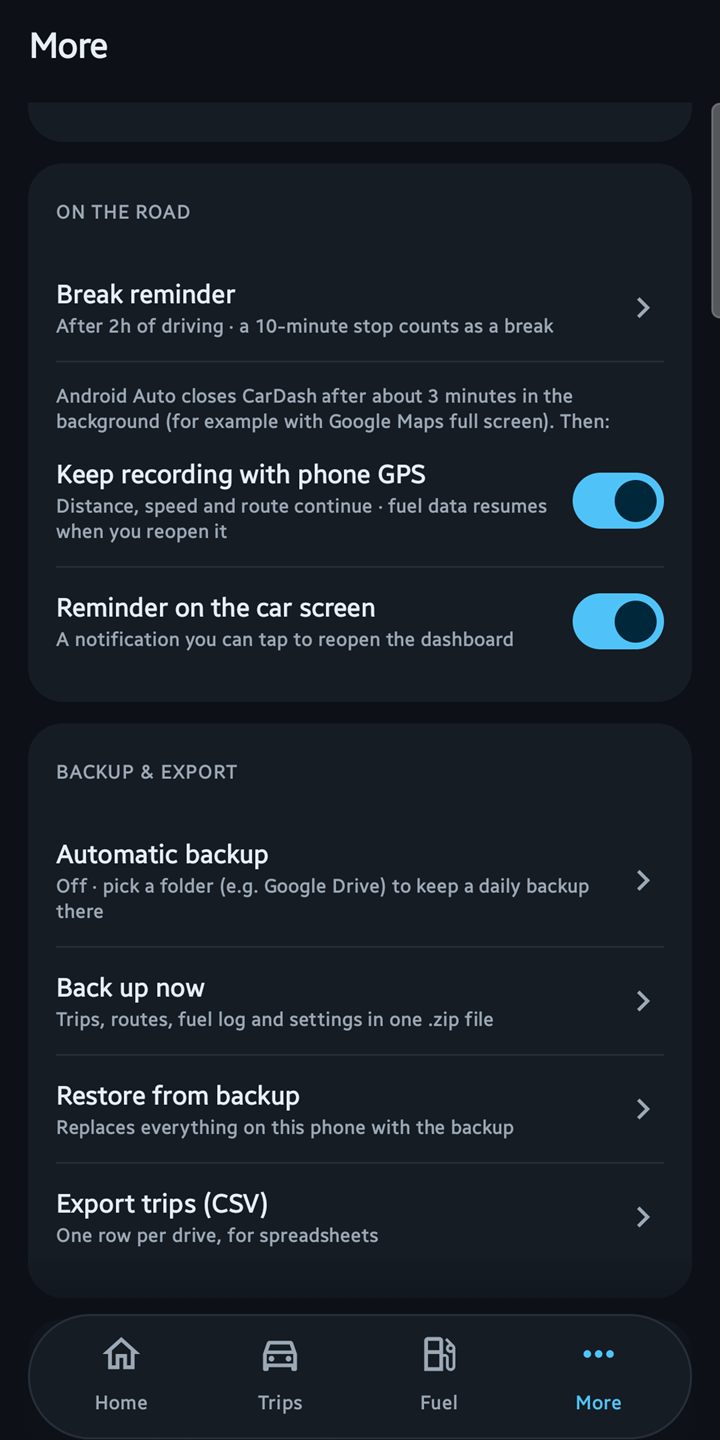
A break reminder after a long stretch (1½ to 3 hours, or off) and a low-fuel alert, as pop-ups on the car screen.
Day and night
Switches automatically with the car's display.
Your car
Your car's name and your own photo of it on the dashboard, or a clean drawn outline.
On the phone
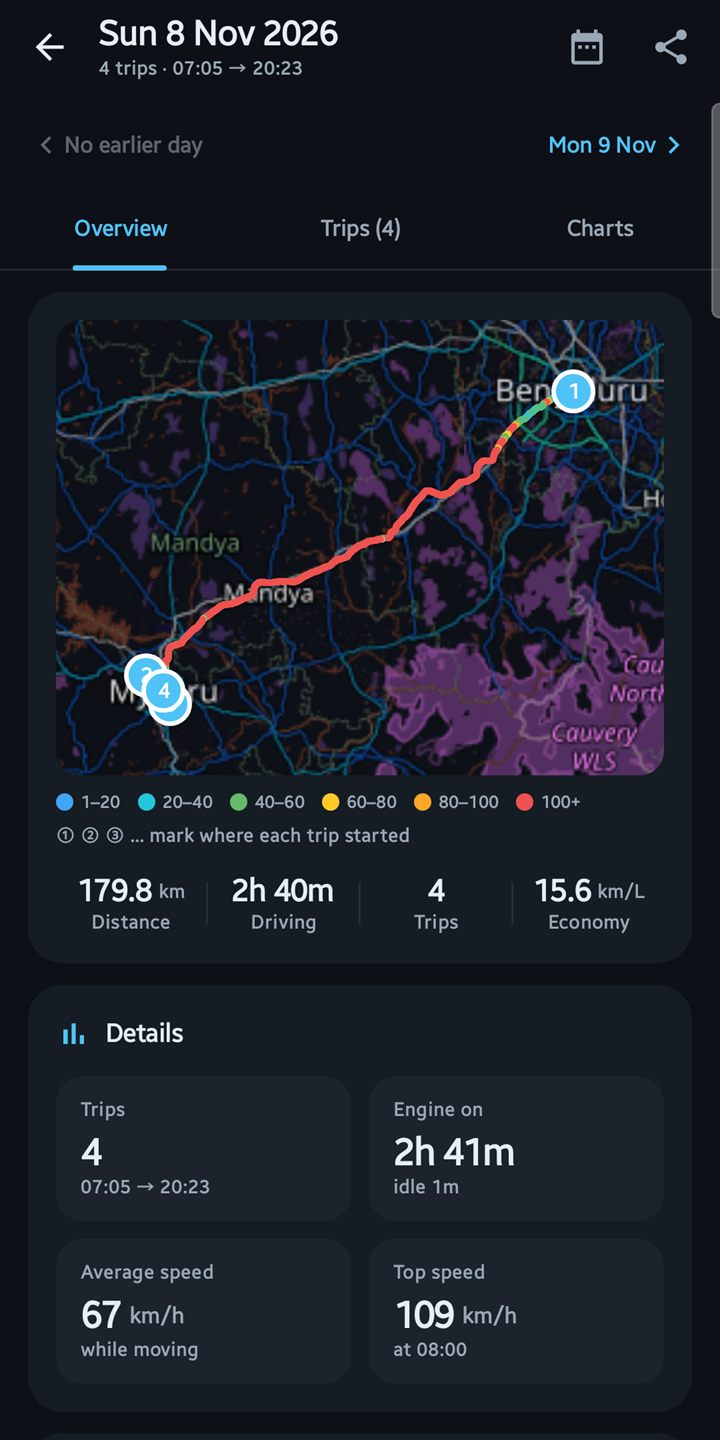
Every drive, automatically
Distance, time, average and top speed, with no buttons to press.
Route maps
Each drive's route on a map, coloured by speed, with speed charts and time in each speed band.
Driving events
Hard braking, quick acceleration and sharp cornering, listed for each drive.
Home
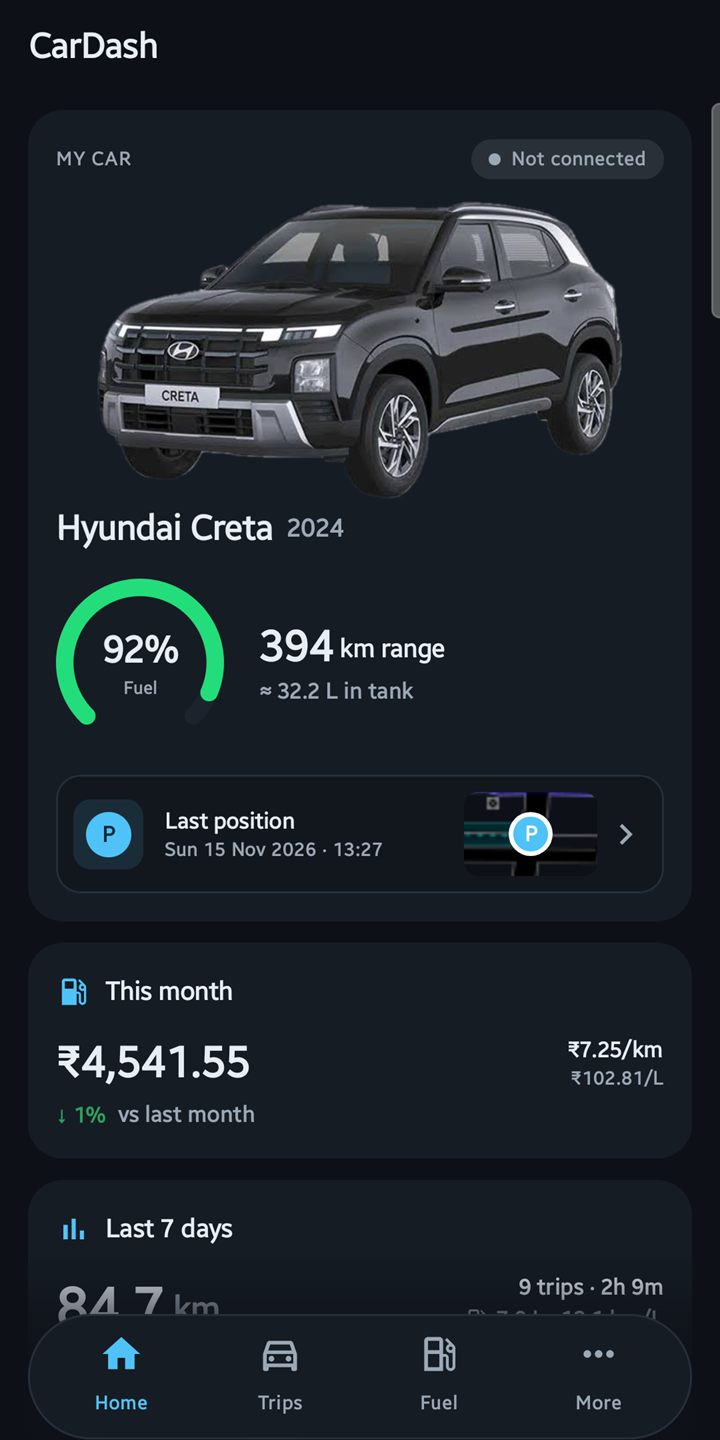
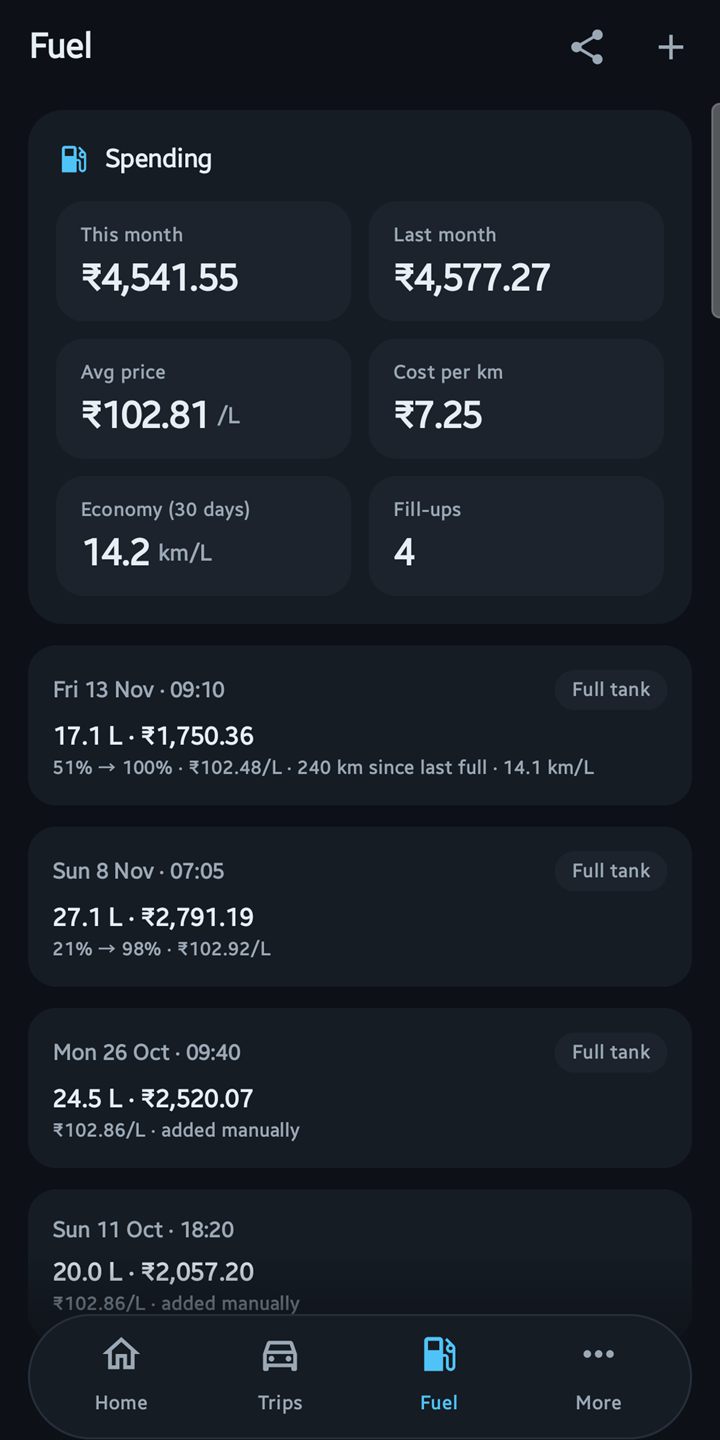
Where you last parked, this month's fuel spend compared with last month, and your last 7 days.
Fuel log
Fill-ups detected from the fuel gauge. Add litres and price to see your real cost and km per litre. Rupees by default, other currencies available.
Start-of-drive reminder
When your phone connects to the car's Bluetooth, the car screen reminds you to open CarDash.
Survives drop-outs
If Android Auto disconnects mid-drive, the same trip continues when it reconnects.
Backup and export
Back up to a folder you choose, daily if you like. Export routes as GPX, trips and fuel as CSV.
All your trips
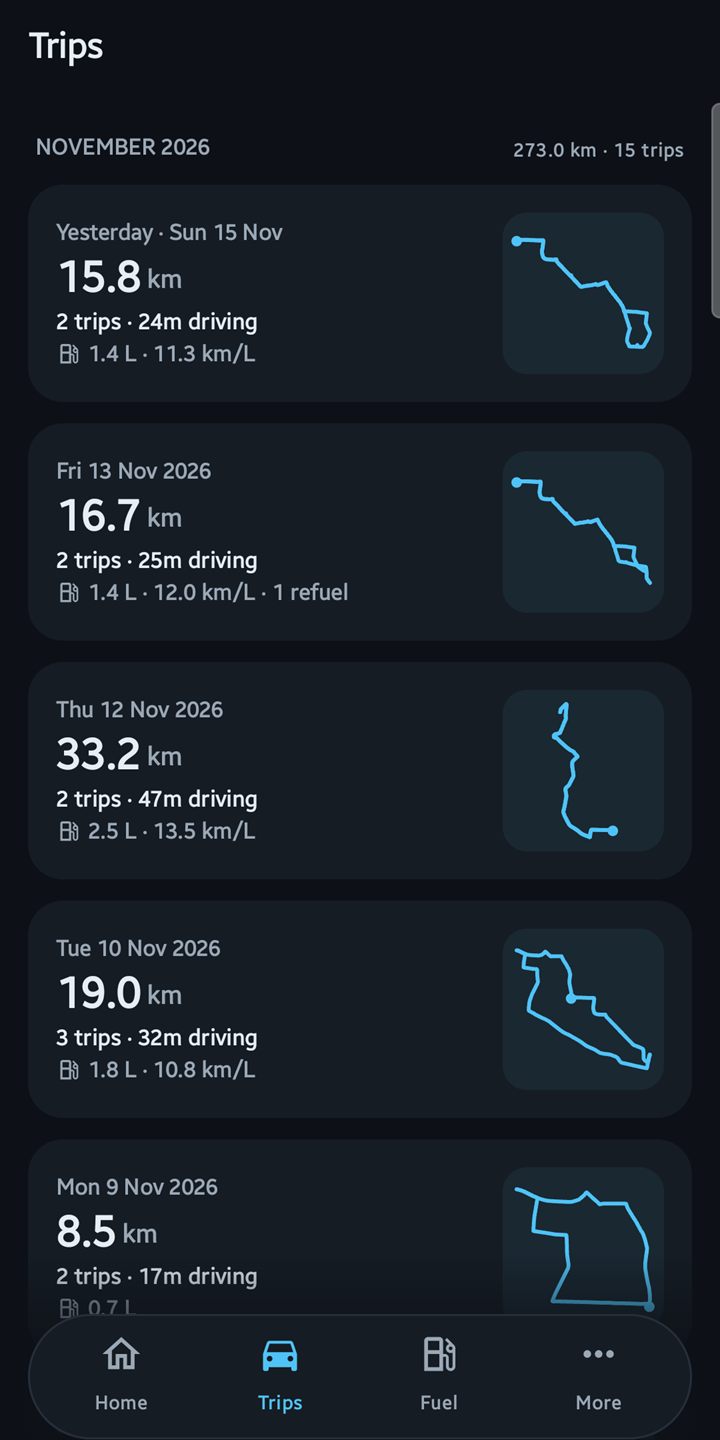
Every drive grouped by day and month, with a day view that joins them up.
Screenshots
See it in action
Real screens from the app, filled with demo drives around Mysuru.
Phone
Car screen
Privacy
Private by design
Your drives say a lot about you. CarDash keeps them to itself.
Stays on your phone
Trips, routes and the fuel log are stored only in the app. Nothing is uploaded.
No account
No sign-up, no server, no tracking. The internet is used only for map tiles and finding petrol pumps (OpenStreetMap).
Yours to keep
Back up to a folder you choose and export routes (GPX) and trips and fuel (CSV) whenever you like.
Before you start
What you need
- A car with Android Auto, wired or wireless. What it shows depends on what your car shares (see the FAQ).
- An Android phone, Android 8 or newer, with Android Auto already working in your car.
- About 10 minutes, once, while parked. Install guide
Questions
FAQ
Why isn't it on the Play Store?
Is it safe to install?
Which cars does it work with?
Why does it ask for my tank size?
Will it drain my phone's battery?
How do I update?
Can I use it while driving?
Ready for your next drive?
Free. About 10 minutes to set up, once, while parked.